
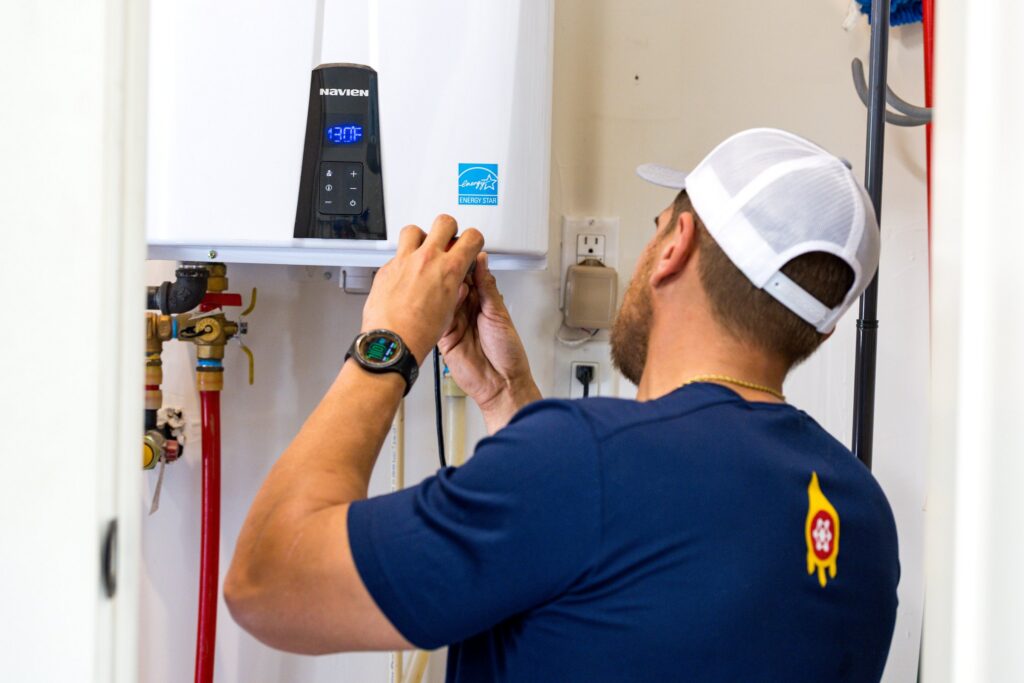
Your Navien is showing an error code and there’s no hot water. Before you do anything else, write down the code and the model number off the sticker.
This post goes through every code in Navien’s owner’s manual for the NPE-2 series: what each one means, what Navien says you can check yourself, and which ones need a licensed plumber. Some of them turn out to be a reset you can do yourself in five minutes without paying us a dime.
Read This First
This is a guide to Navien’s manual, not a replacement for it. Codes and steps can differ from one model to the next, so if anything here disagrees with the manual for your unit, go with the manual.
Navien draws the line for homeowners in its own manual: don’t repair or replace any part of the water heater unless the manual specifically tells you to. Everything else goes to a licensed professional. We hold to that line all the way through this post.
If you smell gas, leave first, then call ONG at 800-458-4251. Navien’s manual adds: don’t try to light any appliance, don’t touch an electrical switch, and don’t use a phone in the building. Call from a neighbor’s phone.
If any part of the unit has been under water, don’t use it. Navien says to call a qualified service technician right away.
Find Your Model and Write Down the Code
The model number is on the rating plate on the side of the unit. The codes in this post come from Navien’s User’s Information Manual for the NPE-2 series, which covers six models: the NPE-180A2, NPE-210A2 and NPE-240A2, and the NPE-180S2, NPE-210S2 and NPE-240S2. The A2 models have a built in pump and a small buffer tank for recirculation, and the S2 models don’t.
If your model number isn’t one of those six, its codes can be different. Get the manual for your model from Navien’s site, linked at the bottom of this post.
Write down everything on the screen, including any number after the dash. Your Navien also keeps a record of past errors: press the Menu button and look for the error history.
Try One Reset
Navien’s manual says a reset can clear an error. Press the Back button on the front panel once.
If the code comes right back, the reset didn’t fix it, so don’t keep resetting it. Find the code in the chart below. A unit that keeps throwing codes is often an install problem: an undersized gas line, the wrong vent, no isolation valves.
Navien NPE-2 Error Codes
Here’s every code in the chart on pages 17 and 18 of Navien’s NPE-2 User’s Information Manual, in plain English. Where the manual says to call technical support, Navien’s number is 1-800-519-8794, or you can call us at (918) 800-4426.
| Code | What it means | What Navien’s manual says to do |
|---|---|---|
| E003 | Ignition failure. The burner didn’t light. | Make sure the main gas supply valve is open. |
| E004 | False flame detection. The unit sensed a flame that shouldn’t be there. | Make sure the power cord is properly grounded. |
| E012 | Flame loss. The flame went out while it was running. | Clean the air intake filter, and make sure the power cord is properly grounded. |
| E016 | The heat exchanger is overheating. | Clean the cold water inlet filter, then flush the heat exchanger. |
| E030 | The exhaust is overheating. The unit shuts down when the flue gets above 149 degrees. | Clean the cold water inlet filter, then flush the heat exchanger. |
| E031 | The burner is overheating. | Call Navien technical support. |
| E046 | A problem with the limit control. | Call Navien technical support. |
| E047 | The exhaust temperature sensor is open or shorted. | Call Navien technical support. |
| E060 | A problem with the dual venturi. | Call Navien technical support. |
| E109 | A problem with the fan motor. | Clean the air intake filter. |
| E110 | Abnormal air pressure. | Make sure the exhaust pipe is clear, and clean the air intake filter. |
| E407 | The hot water outlet temperature sensor is open or shorted. | Call Navien technical support. |
| E421 | Cold water inlet temperature sensor 1 is open or shorted. | Call Navien technical support. |
| E432 | Cold water inlet temperature sensor 2 is open or shorted. | Call Navien technical support. |
| E434 | A problem with the water adjustment valve. | Call Navien technical support. |
| E438 | A problem with the circulation pump, on a system with an air handler. | Check that the circulation pump is working. |
| E439 | A problem with the flow sensor. | Call Navien technical support. |
| E441 | Hot water inlet temperature sensor 2 is open or shorted. | Call Navien technical support. |
| E445 | A problem with the bypass mixing valve. | Call Navien technical support. |
| E515 | A problem with the circuit board. | Make sure the power cord is properly grounded. |
| E517 | A problem with the DIP switch setting. | Call Navien technical support. |
| E593 | A problem with a front panel button. | Call Navien technical support. |
| E594 | A problem with the unit’s memory (EEPROM). | Call Navien technical support. |
| E615 | A problem with input and memory. | Call Navien technical support. |
| E736 | A communication problem between linked units (a cascade). | Call Navien technical support. |
| E740 | A problem with the outdoor temperature sensor, on a system with an air handler. | Call Navien technical support. |
| E760 | The flushing and service alarm. | Have your installer do routine service. |
| E762 | The vent pipe isn’t properly inserted. | Call Navien technical support. |
| E773 | The unit is on the wrong gas. | Call Navien technical support. |
| E782 | A communication problem with the main panel. | Call Navien technical support. |
| E785 | A problem with the flow switch or sensor, on a system with an air handler. | Call Navien technical support. |
| E788 | The gas type set on the front panel DIP switch doesn’t match the panel’s setting. | Check the gas type and match the two settings. See below before you touch it. |
If the step in the last column doesn’t solve it, Navien’s manual says to call technical support.
Codes You Can Usually Check Yourself
It’s a spectrum. A one time ignition lockout, a scale related flow code, a clogged inlet filter screen or a fouled vent termination outside are a reset, a cleaning or a descaling.
E003: Ignition Failure
Navien’s first suggestion is making sure the main gas supply valve is open. If it is, press Back to reset. A one time ignition lockout is a reset.
If it keeps coming back, call us. A whole house tankless runs 150,000 to 199,000 BTU, so the half inch line that fed your old tank almost never covers it, and an undersized gas line is one of the install problems behind a unit that keeps throwing codes. We never want you doing gas yourself.
E109, E110 and E012: Air and Venting
Navien points all three at the air intake filter. When it clogs with dust or lint, the unit stops and shows E110, and Navien says to clean it every 3 to 4 months.
The manual walks you through it on page 14. Turn the unit off at the Power button and unplug it before the front cover comes off, then pull the filter, clean it with a toothbrush and clean water, and let it dry completely before it goes back in.
For E110, Navien also says to make sure the exhaust pipe is clear. A tankless has its own vent and a matching air intake, usually PVC or stainless out a side wall. Go look at where they come out. Nothing should be in them or around them, and Navien’s manual uses a clothes line as the example of what not to put there.
If a vent pipe is damaged, separated at a joint, corroded, rusted or melted, Navien says to turn the unit off and stop using it. That one’s a call.
E012 also points at power, along with E004 and E515: Navien’s manual says to make sure the power cord is properly grounded. If you can’t confirm that yourself, call.
E016 and E030: Overheating
Navien’s answer for both is the same: clean the cold water inlet filter, then flush the heat exchanger. E030 shuts the unit down when the exhaust gets above 149 degrees.
Flushing the heat exchanger is descaling, and in Tulsa it isn’t a suggestion. Our water is hard, and the scale it leaves narrows the heat exchanger until you get flow codes and an early failure.
The inlet filter is a homeowner job in Navien’s manual. Turn the unit off, close the gas valve and the cold water valve into the unit, and open the hot faucets to drain it, with a bucket under the unit for what’s left inside. Pull the filter, rinse it under cold running water, scrub it with a brush if it needs it, put it back, and refill.
The flush is a different story. Navien’s manual calls it complicated and says to call a licensed professional if you’re unsure about any step. It takes a circulation pump, three hoses, a five gallon bucket and cleaning solution, plus isolation valves on the unit, with the solution running through it for at least 45 minutes. We won’t set a tankless without isolation valves.
E760: The Service Reminder
E760 is Navien’s flushing and service alarm. The manual’s answer is routine service from your installer, not a repair.
A full annual service is more than the acid flush. We rinse the inlet water filter screen, inspect the burner, and check combustion and gas pressure while the unit is firing, which is the only time an undersized gas line shows itself. Under an hour, once a year. Keep up with it. Navien’s warranty doesn’t cover damage from hard water deposits or mineral build-up, and its manual says skipping regular maintenance can void the warranty.
Codes That Need a Plumber
For everything else in the chart, Navien’s answer is a call to technical support. That’s the temperature sensor codes (E047, E407, E421, E432 and E441), the valve codes (E434 and E445), the flow sensor (E439), burner overheating and the limit control (E031 and E046), the venturi (E060), the vent and gas codes (E762 and E773), the board, memory and panel codes (E517, E593, E594, E615 and E782), and the codes for linked units and air handlers (E736, E740 and E785).
E788 is different. Navien’s chart says to check the gas type and match the settings, but we’d leave that one alone too. The gas type switch is set at the factory and only changes when a unit is converted to propane, and Navien’s installation manual says to turn the power off before anyone gets into the DIP switches.
Navien’s manual says not to repair or replace any part unless it specifically tells you to, so these go to a licensed professional. When you call, Navien asks for the model number, serial number, date purchased, where and how the unit is installed, and the error code. Have the same ready for us.
Heat exchanger, gas valve, control board and overheat faults are the other end of the spectrum, and on our own jobs those have run fifteen hundred to three thousand.
No Code, but No Hot Water
Navien’s manual also has a short chart for problems that don’t show a code.
- No water at all from the hot side: make sure the shut off valves on the hot and cold pipes are open, and check whether the inlet filter needs cleaning or the unit has frozen.
- Water that runs cold and stays cold: clean the inlet filter and open the faucet all the way. Navien says it has to pull at least half a gallon a minute through the unit.
- Water that isn’t hot enough, or is too hot: check the temperature setting. Navien ships it at 120 degrees. If the setting looks right and it still isn’t hot enough, Navien’s chart also lists a crossover between the hot and cold lines, and finding that is our job.
- Hot water that takes too long to reach the faucet: that takes a recirculation line from the farthest faucet back to the water heater.
And if you get a slug of cool water when you shut a faucet off and back on, that’s normal. It’s the industry’s cold water sandwich, and yes, that’s really the name.
Expect less in winter, too. Tulsa winter water comes in near 50 degrees, so a unit rated at 11 gallons per minute really gives you about half that in January.
Our post on no hot water covers tank water heaters as well.
Winter: Leave It Plugged In
Your Navien has a freeze protection function, and it runs on electricity. Navien says to leave the power cord plugged in except for routine maintenance. It works whether the unit is turned on or off, as long as it’s plugged in, and on the A2 models Navien also says to leave the gas valve open.
If the power or gas has to be off for an extended period, Navien says to drain the unit. Navien’s manual also says freeze damage isn’t covered by its limited warranty.
If you think it froze, the thawing steps are on page 15 of the manual. Once water is flowing again, check the unit and the piping for leaks, and call if you find one or it isn’t running right.
Do’s and Don’ts
Do
- Write down the code, everything else on the screen, and the model number off the sticker.
- Press Back once to reset, and go to the chart if the code comes back.
- Check that the gas valve and the hot and cold water valves are open.
- Keep the vent and air intake outside clear, and look them over once a year. Navien says to inspect them annually.
- Clean the air intake filter every 3 to 4 months, the way the manual shows.
- Keep up with descaling. In Tulsa it isn’t a suggestion.
- Leave it plugged in all winter.
- Know where the unit’s gas shut off is. Navien says to have your installer or plumber show you where it is and how to close it.
Don’t
- Don’t keep resetting a code that keeps coming back.
- Don’t run it with the front cover off, and don’t take the cover off with the power connected.
- Don’t repair or replace any part the manual doesn’t tell you to.
- Don’t use it if any part has been under water.
- Don’t use it if a vent pipe is damaged, separated, corroded, rusted or melted. Turn it off and call.
- Don’t keep gasoline, spray paint, hair spray or anything else flammable near the unit or its vent.
- Other than turning the gas shutoff valve, don’t touch the gas. Call a licensed plumber.
What It Costs
On our price list, tankless water heater repair runs $650 to $1,225, and tankless descaling runs $425 to $850.
Tell us the code and the model number when you book.
Navien’s Manuals and Support
Everything in the chart comes from Navien’s own documents, and these are the ones worth keeping:
- Navien NPE-2 User’s Information Manual: the owner’s manual. The error code chart is on pages 17 and 18, and the maintenance steps are in section 4.
- Navien NPE-2 Installation Manual: the installer’s manual, version 2.0 from January 2026.
- Navien’s condensing tankless downloads, if you need the manual for a different model.
- Navien technical support: 1-800-519-8794.
- ONG, if you smell gas: 800-458-4251.
Navien also publishes a service manual, but it’s written for licensed service professionals, and Navien asks you to acknowledge that before you open it.
Navien’s manual says to keep it near the water heater. We checked this post against the manuals on Navien’s site in November 2026, so if yours is a different version, go with yours.
Call Us With the Code
We service every brand, and around Tulsa we see Navien, Rinnai, Rheem, Noritz and A.O. Smith most. Our error code guides for Rinnai, A.O. Smith, Rheem, Noritz and Takagi cover the others, and our tankless error codes page shows which codes mean the same thing across brands.
Call us at (918) 800-4426 with the code and the model number. Our tankless water heater repair page has more on what we do.